
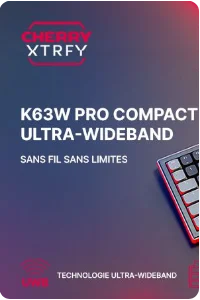
CHERRY K63W PRO COMPACT
Convincing typing in a demanding format
Score: 7.5/10
Images and videos


At a glance
We liked
- A fluid and well-damped typing, pleasant for playing as well as writing.
- The reduced format frees up space while retaining F1 to F12.
- A responsive wireless connection, with 8000 Hz also available via USB.
- The 6,000 mAh battery and possible use while recharging.
We liked less
- Sharing arrow and modifier keys disrupts some familiar habits.
- No Bluetooth, and a rather bulky UWB receiver.
- ABS keycaps that mark easily and non-hot-swap switches.
- The reassignment of keys and the possibilities of the software remain limited at this price.
 By Farrel Grimwood · published · 5 min read
Contents
It’s difficult to be interested in mechanical keyboards without coming across the name CHERRY, especially in the lines of this site. Its switches equip its own products as well as those of other manufacturers, and the brand has plenty to defend its typing know-how. With the K63W Pro Compact, it also wants to stand out wirelessly, thanks to an Ultra-Wideband connection capable of communicating with the PC up to 8,000 times per second.
The argument is impressive, but a keyboard at €179.99 can also be judged on much more ordinary things: comfort for writing, access to shortcuts or the ease of resuming habits after a change of format. This compact model retains row F1 to F12 and adopts low-profile keys, while making some more divisive choices. What remains of this high-end promise when we look at its daily use?
Room for the mouse
The 70% format of the K63W Pro Compact maintains a width of 30.7 cm. The number pad disappears, along with the separate navigation cluster found on a full-size keyboard. To play with low mouse sensitivity, the gain is appreciable: you have more room for large movements without having to shift the entire keyboard. Keeping the F keys directly accessible also avoids adding an Fn combination to commands that we use regularly.
The arrows require further explanation. CHERRY shares them with the keys located at the bottom right, including Shift and Ctrl. You can choose a fixed assignment or activate the Mod Tap, which distinguishes the short press from the hold: a short press gives an arrow, a long press calls the second function. This makes it possible to keep these controls in a reduced space, but requires retraining your muscle memory.
The difficulty arises especially when you write quickly and use Shift on the right. Waiting for hold to be recognized is less natural than pressing a dedicated key, and CHERRY Utility does not allow you to adjust this delay. For occasional menu navigation, the compromise is acceptable. To select and correct text all day long, a classic arrow block remains more convenient.
Typing that makes you want to stay
CHERRY MX Low Profile 2.0 switches are mechanical, linear and factory lubricated. “Linear” means that their travel does not include a tactile bump signalling actuation. The keys descend smoothly, with a consistent response that’s suitable for repeated presses in gaming as well as typing. Their low height also makes it easier to access the different rows, without giving the impression of typing on the almost flat keys of a laptop.
The gasket mount contributes greatly to comfort. The part which carries the keys rests on flexible elements, which cushions the keystrokes instead of brutally transmitting each pressure to the case. This flexibility is particularly felt when you press the keys all the way. The keyboard maintains good stability and consistent typing, with fewer hollow resonances than a poorly damped rigid construction. It remains audible, but its noise accompanies typing more pleasantly.
The plastic case is properly constructed and the feet allow for tilt adjustment. The ABS keycaps are more questionable at this price: their surface marks easily, with fingerprints which quickly reduce the matte appearance. PBT keycaps, which are generally more resistant to polishing, would have been preferable. Another limitation for keeping or customizing the keyboard: the switches are not hot-swap. They cannot therefore be simply removed and replaced without soldering.
Wireless has its requirements
Ultra-Wideband, or UWB, is a radio link that uses a spectrum different from the usual 2.4 GHz of gaming peripherals. CHERRY highlights it to limit interference in environments loaded with wireless devices. This is an interesting avenue when a connection is actually experiencing disruptions. On a desktop where everything already works correctly, the benefit is much less obvious: changing technology does not automatically make a perceptible difference.
An 8,000 Hz polling rate is available both wired and UWB. This corresponds to an interval of 0.125 milliseconds between two transmissions, compared to one millisecond at 1000 Hz. Be careful not to confuse this figure with the total time between a press and its result on the screen. The entire chain is involved, from the keyboard to the game then to the display. Responsiveness is very good.
The UWB receiver is also a remote box connected to the PC by a cable, more bulky than a small USB dongle. You have to find a place for it, even if the keyboard itself can move freely. Above all, Bluetooth is missing. Easily switching from a desktop PC to a laptop or tablet would have been appreciable on such a compact model. The choice is therefore better suited to a main setup than to use on several devices.
A big battery without a miracle
The 6,000 mAh battery constitutes a solid argument, but the 1,100 hours announced represent a maximum depending on the settings. This figure should not be read as a guaranteed duration with the RGB turned on and the frequency pushed to 8,000 Hz. These two parameters increase consumption, and their adjustment makes it possible to decide between lighting, polling rate and battery life.
Endurance remains one of the keyboard’s strengths, with a capacity that avoids making recharging a permanent concern. We would nevertheless like to have an indication as clear for demanding use as for the most economical scenario. When the battery runs out, the USB cable allows you to continue writing or playing while charging, without stopping the device.
Settings that can still be improved
CHERRY Utility brings together profiles, macros, key-by-key RGB lighting and polling frequency adjustment. The software allows you to personalize the commands, but their reassignment lacks flexibility: each modification must be created, and the keyboard representation does not clearly represent the new functions. The Fn shortcut layer cannot be freely remapped either. For a few occasional changes, this remains manageable; to substantially change the layout, the procedure becomes laborious.
The compatibility of the keyboard with Windows, macOS and Linux should not be confused with that of the utility, offered here for Windows. This is a restriction to take into account before purchasing, especially when the dual functions of the keys require a little configuration.
Verdict
Comfort before numbers
7.5/10
The K63W Pro Compact deserves attention for its smooth typing, cushioning and space saving without sacrificing the F keys. These are its most convincing qualities, both for gaming and writing. UWB and 8,000 Hz complete the equipment, but alone hardly justify a purchase at almost €180.
At this price, the ABS keycaps, the absence of Bluetooth and the limitations of the software weigh in the balance. The shared arrow keys also require adapting to an unusual layout. A good choice for those looking above all for a compact low-profile mechanical keyboard on a main PC, but less recommended if navigating text or switching between several devices takes up a large part of the day.
Pros
- A fluid and well-damped typing, pleasant for playing as well as writing.
- The reduced format frees up space while retaining F1 to F12.
- A responsive wireless connection, with 8000 Hz also available via USB.
- The 6,000 mAh battery and possible use while recharging.
Cons
- Sharing arrow and modifier keys disrupts some familiar habits.
- No Bluetooth, and a rather bulky UWB receiver.
- ABS keycaps that mark easily and non-hot-swap switches.
- The reassignment of keys and the possibilities of the software remain limited at this price.