T.Flight Hotas 5 Microsoft Flight Simulator Edition
The T.Flight finally finds the precision it lacked
Score: 8/10
Images and videos
At a glance
We liked
- 16-bit resolution significantly finer than that of the Hotas 4
- A comfortable stick with adjustable mechanical resistance
- A progressive, firmer throttle with a central point
- Two blocks that can be used separately or joined together on a single base
We liked less
- An almost unchanged chassis compared to the Hotas 4
- A fairly short cable of around 50 cm between the two blocks
- Ergonomics designed only for right-handed people
- Too few controls for complex devices
 By Farrel Grimwood · published · 8 min read
Contents
For more than ten years, PlayStation players interested in aerial simulation had to make do with the T.Flight Hotas 4. Its price remained accessible and its compatibility with the PS5 gave it a much longer career than expected, but its 10-bit sensor, its very plastic shell and its limited number of controls showed the weight of the years. The arrival of Microsoft Flight Simulator 2024 on the Sony console made a replacement necessary.
The T.Flight Hotas 5 Microsoft Flight Simulator Edition, however, takes almost everything from its predecessor. The word HOTAS means “Hands On Throttle And Stick”: one hand remains on the stick, the other on the throttle, in order to control the device without constantly returning to a classic controller. Thrustmaster keeps this simple formula, adds two buttons, switches the axis reading to 16 bits and dresses everything in white, black and blue.
The material is clearly aimed at a first installation, not a complete cockpit. This restraint can be a strength if accuracy really improves, but it becomes more difficult to defend when the promised software profile is not ready. Does the Hotas 5 finally replace the old PlayStation model, or is it just modernizing its sensor before games fully know what to do with it?
An almost intact Hotas 4
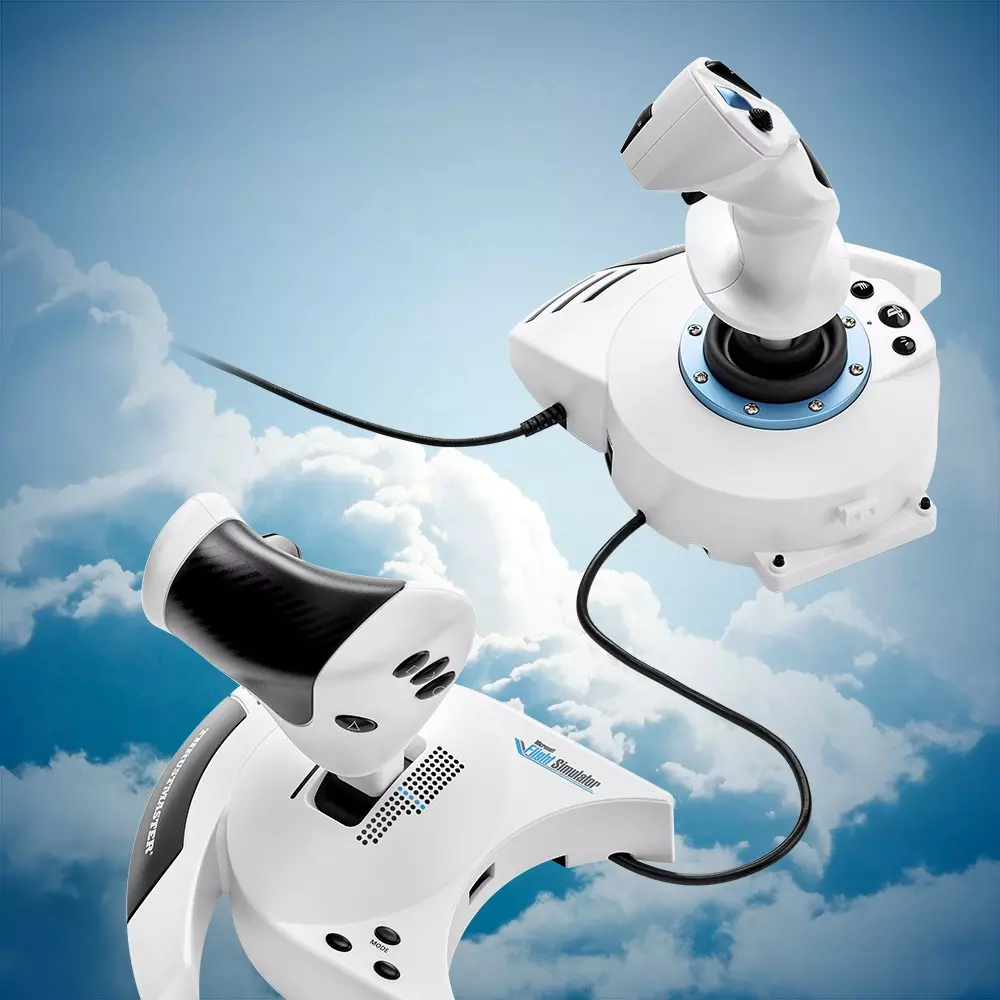
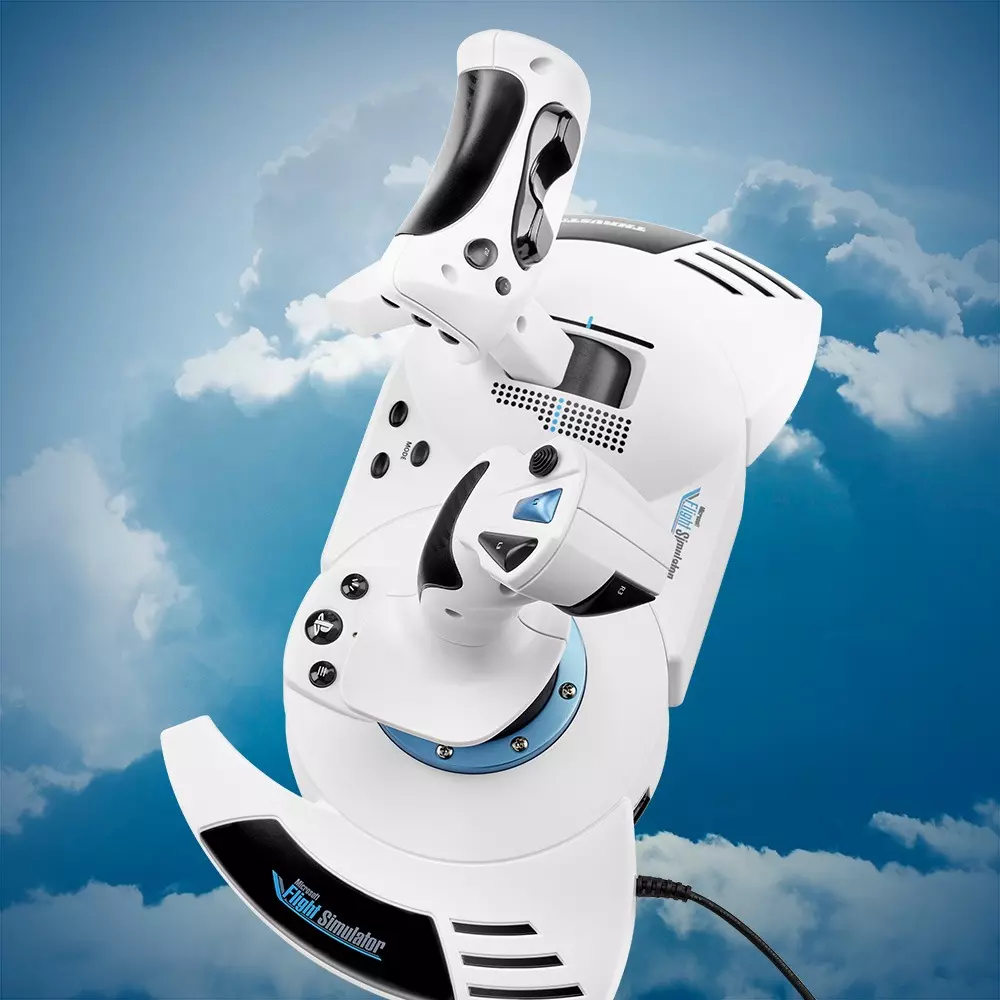
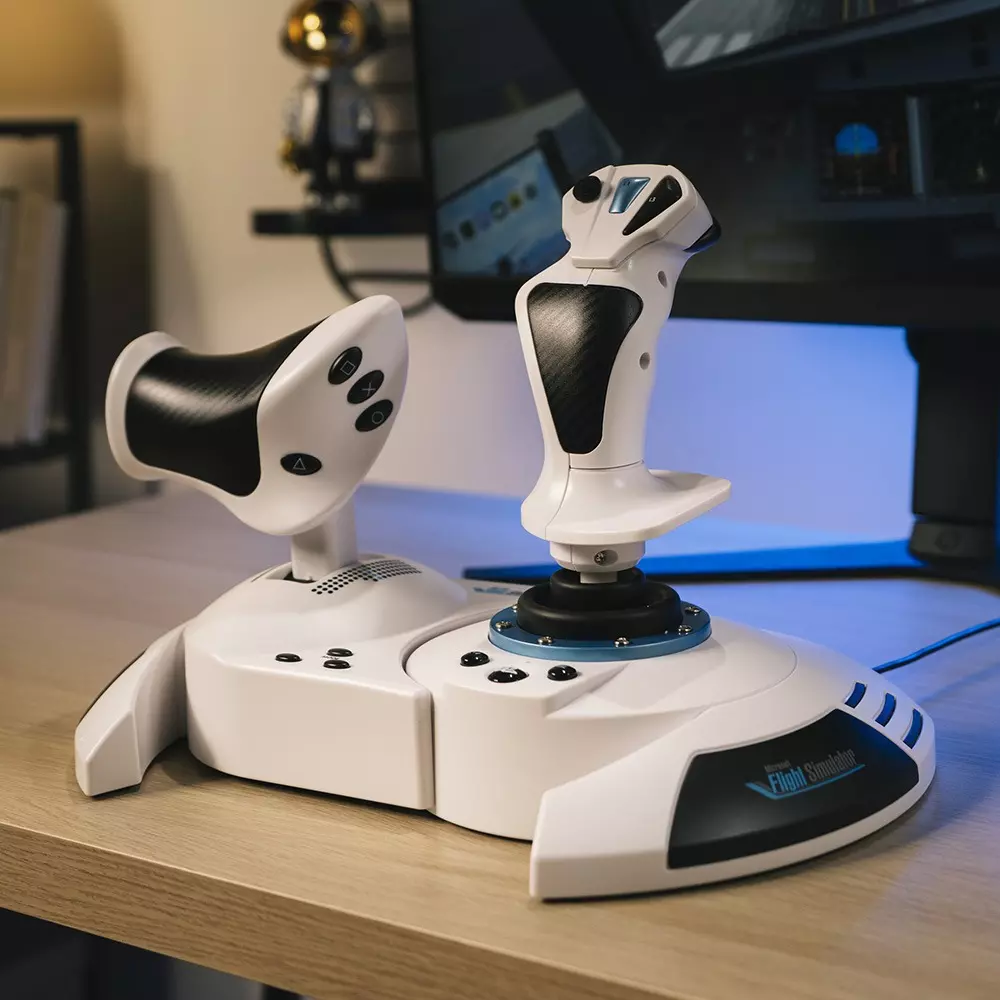
The first contact leaves no doubt about the parentage. The stick is on the right, the throttle on the left and the two bases almost exactly match the shape of the Hotas 4. The dimensions reach 350 mm wide, 200 mm deep and 235 mm high when the two elements are combined. The weight of 2.06 kg prevents the assembly from moving on the first movement, without giving it the inertia of metal equipment.
The casing remains entirely dominated by plastic. The assemblies are correct, the bases don’t feel hollow and the main controls offer enough resistance to not feel mushy. The object nevertheless retains the appearance of a consumer device, logical in this price range. The screws, molding lines and large white surfaces never attempt to imitate a real cockpit.
This choice is consistent with the price, but the number 5 may suggest a deeper renewal. Thrustmaster hasn’t redesigned the ergonomics, added a row of switches, or adopted modular construction. Hotas 4 owners find the same hand position, the same large controls and almost the same limits. The new color makes the product look cleaner next to a PS5; it does not transform the old chassis.
However, the format has already proven that it can fit on a desk, a tray table or your lap. It requires no specialized support or permanent mounting. A beginner immediately understands which block directs the device and which controls the thrust. The Hotas 5 doesn’t reinvent the series, but it retains what made it easy to install and so exhilarating to learn, while improving the old version significantly.
The 16 bits really change the driving
The real evolution is under the stick. The Hotas 4 read its movements on 10 bits, or 1,024 theoretical values per axis. The Hotas 5 goes to 16 bits, bringing this reading to 65,536 values. The number is impressive, but it should not be translated into a device that is sixty-four times better. Stick travel, spring, friction, and game dead zones continue to limit what the hand can actually produce.
Progress remains immediately useful in small corrections. On a light aircraft, keeping the wings flat requires fewer sudden movements. On approach, the nose can be repositioned with finer pressure instead of alternating between a command that is too weak and another that is too strong. A helicopter also benefits from this more regular reading, because the slightest deviation on the stick can change the entire trajectory.
The resistance is adjusted with a dial placed under the base. On the left, the stick becomes lighter and reacts to short gestures. On the right, the spring provides more force and helps prevent unintentional commands. The adjustment does not electronically modify the curve; it only changes the mechanical effort. To adjust the sensitivity or dead zone, you must always enter the game options.
The return to the center remains marked. This tension helps in a dogfight game, where changes in direction are straightforward, but it feels less natural when making a tiny correction in a civilian plane. The 16 bits reduce the lack of electronic finesse without erasing the mechanical character of the T.Flight. This is a significant improvement that makes the product particularly appreciable, especially in this price range.
A comfortable stick and a marked throttle
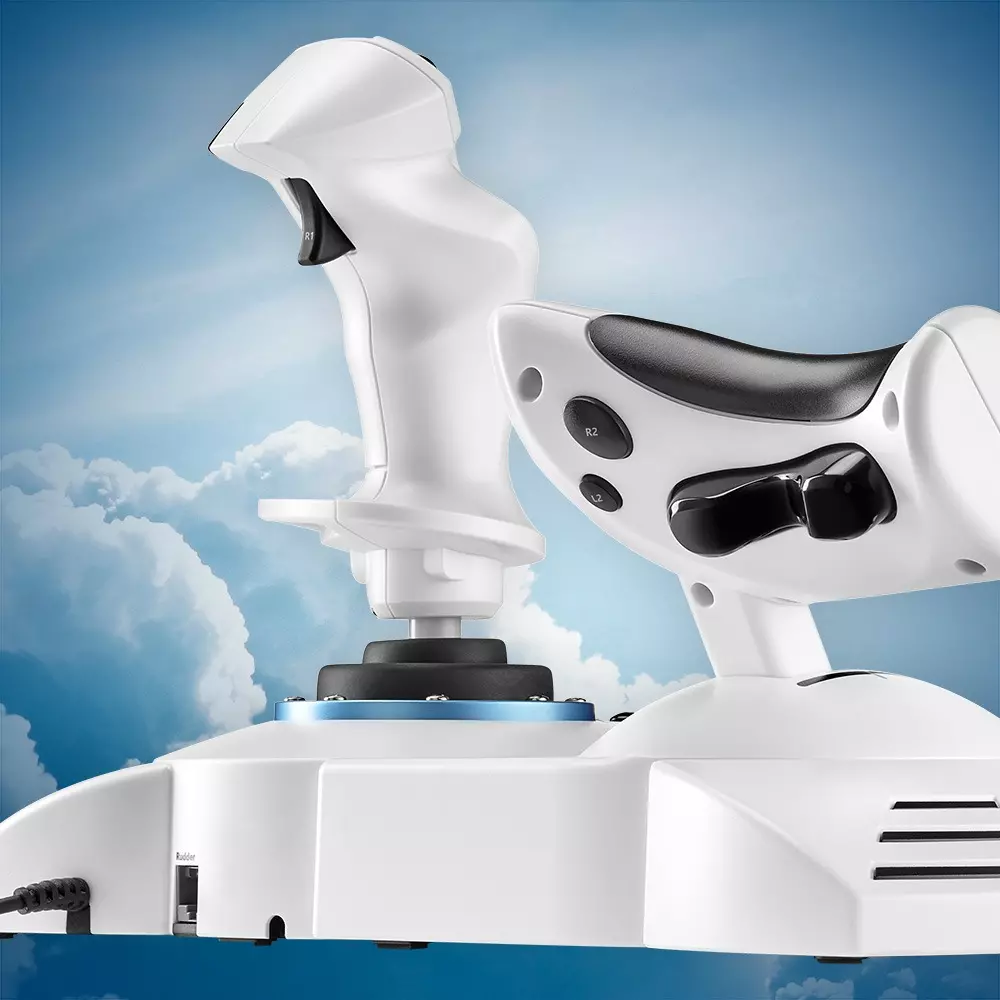
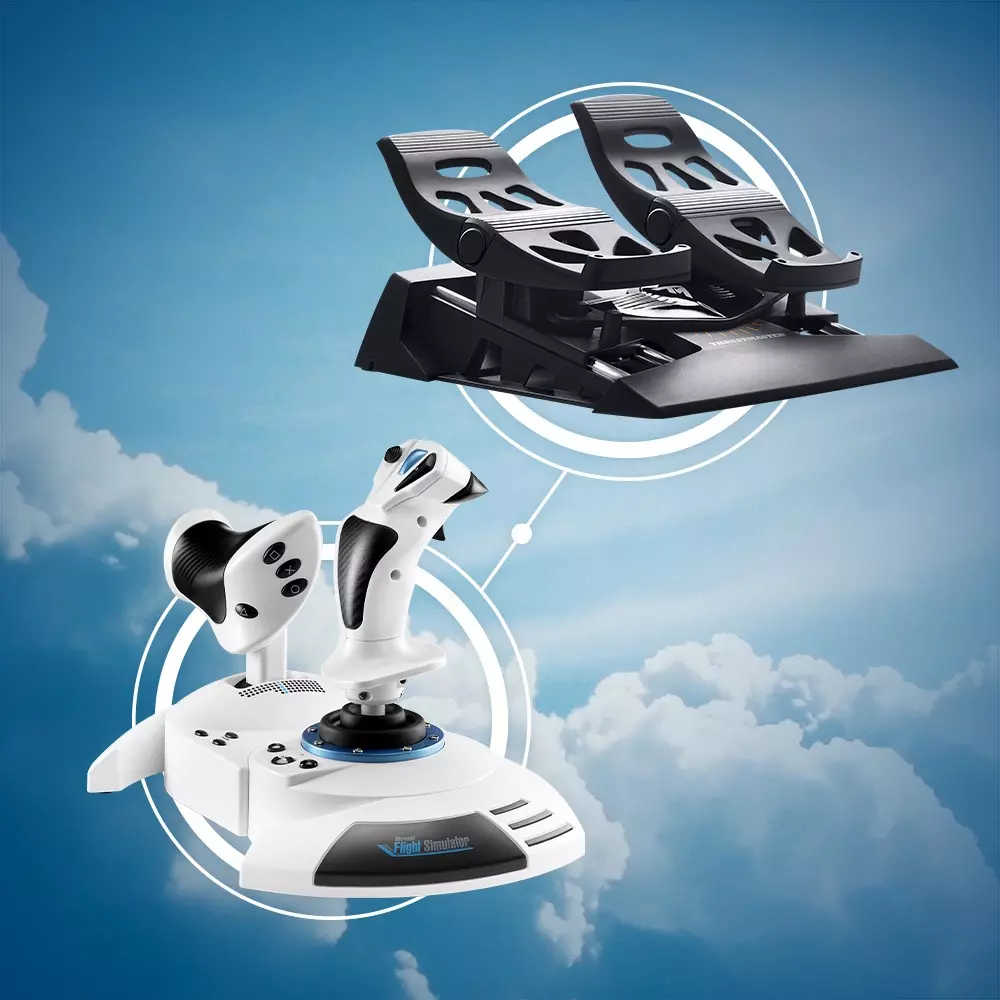
The stick has a wide hand rest and a thick grip. The trigger falls naturally under the index finger, while the hat switch is placed under the thumb. This small multidirectional cross is used to move the view around the plane, to manage the trim or to receive four commands depending on the game. The rotation of the stick controls the yaw, that is to say the rotation of the device around its vertical axis. This control replaces rudder pedals for the first flights. It can be locked with a screw placed under the hand rest if the pilot prefers to use the rear throttle lever or a TFRP pedal set.
The shape suits an average right hand well. The hand rest, the trigger and the position of the buttons impose the stick on the right. No inverted version is offered. After a long session, the position remains correct as long as the bases are low enough. Placed too high on a desk, the stick forces you to raise your shoulder and ends up tiring. The M6 threads present under the bases fortunately allow the two blocks to be fixed on a simulation support. They give a clean solution without imposing this purchase from the start.
The throttle lever controls engine power over a stroke long enough to distinguish low thrust, climb, and full power. Its central point is felt under the hand. This 50% stop helps you find a neutral or intermediate position without taking your eyes off the screen. The force required is also higher than on the Hotas 4, which limits involuntary movements.
A rocker switch is located behind the stick. It can control the yaw instead of the rotation of the stick. This second method requires less wrist twisting and produces gradual corrections with the fingers. It becomes particularly practical when the stick is locked or when both hands must remain stable. The throttle can be calibrated directly on PS5, PS4 or PC, without any special driver. The procedure consists of holding two buttons, placing the joystick in the center then confirming with the PS button.
The block, however, lacks secondary controls. A wheel for trim, a mini-joystick, a second hat or several switches would have reduced the need for menus. Thrustmaster keeps the throttle nice and simple, but its shape takes up a lot of room for the number of inputs actually available.
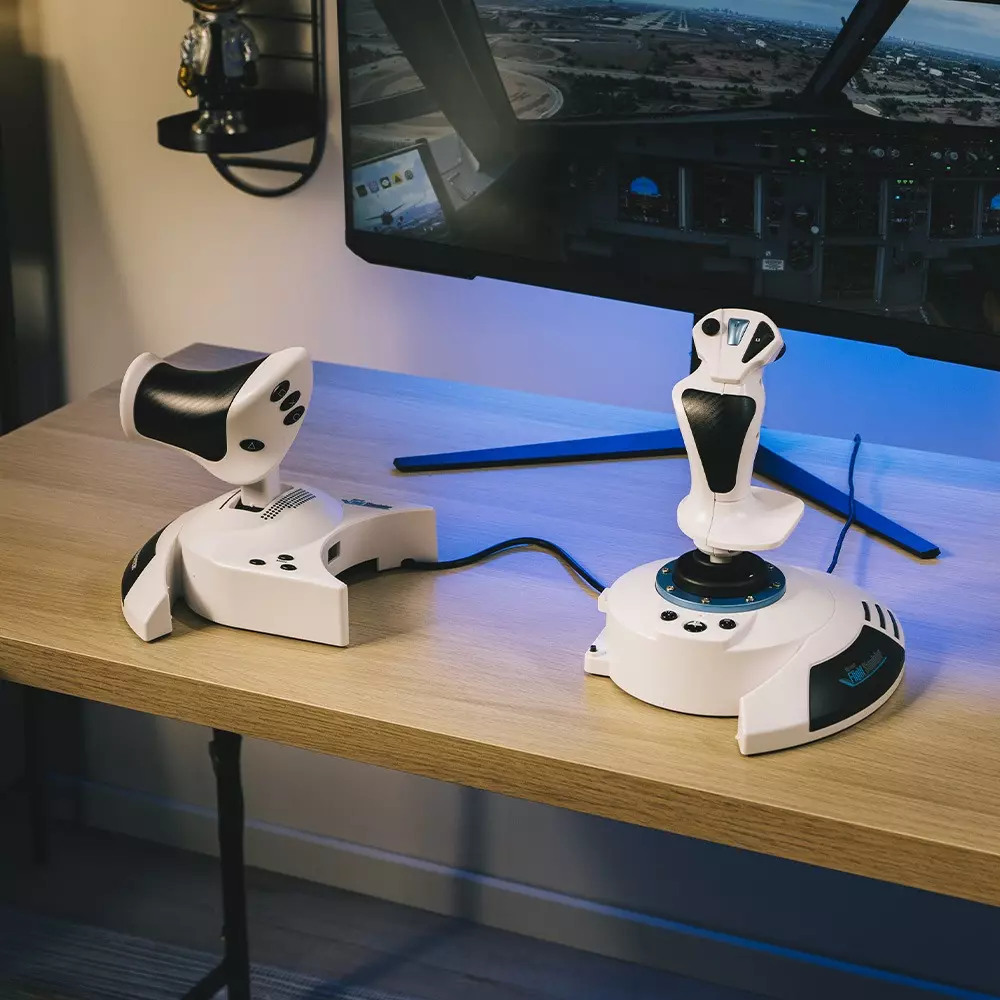
The stick and throttle are delivered separate. They can stand alone on a desk, with a keyboard placed between them, or be joined together to form a single base. Two Allen screws then lock the assembly and the intermediate cable winds under the throttle. The necessary key is included and has its own slot under the base.
The fixed cable between the two blocks measures approximately 50 cm. It is enough to leave a compact keyboard in the center, much less to install the stick and throttle on each side of a wide chair. There is no connector to cleanly replace it with a longer model. The USB-A cable to the console or PC is also attached to the device, greatly reducing its repairability.
The product announces five axes, fourteen action buttons, a trigger and a hat switch. The usual PlayStation controls, including PS, Create and Options, are integrated. Two additional buttons sit under the throttle, but their surfaces bear no clear markings. You must remember their number or check the game configuration. For Aces of Thunder, Elite Dangerous or a simple plane in Microsoft Flight Simulator 2024, this quantity covers the essential actions: shooting, change of view, gear, flaps, brake, trim and some engine functions. A complex civilian aircraft quickly exceeds this framework. Radios, autopilot, lights, mixture controls, pumps and screens still require a mouse, keyboard or controller.
The problem is not just with the total. A second hat and two small knobs would have given more value than a pair of nameless buttons. The left hand has a large surface area, but few controls fall around the fingers. The organization remains very easy to remember; it becomes limited as soon as the pilot tries to no longer let go of the two controls.
Plug & Play is still missing
The box and the name Microsoft Flight Simulator make you expect immediate recognition. The connection is very simple: USB-A, choice of mode using the dedicated button, then connection to the PlayStation profile. The diode turns red on PS5, blue on PS4 and green on PC. However, the firmware must be updated to obtain the intended operation.
The most annoying flaw is found in Microsoft Flight Simulator 2024. At the beginning of August 2026, the native Hotas 5 profile is still not available. On PC, the device is recognized but the configuration remains empty; each axis and each button must then be assigned manually.
The contrast with the Plug & Play discourse is difficult to accept. A 100 euro device can take an evening to configure on certain titles. An official Microsoft Flight Simulator edition must offer its profile on the day of its release, especially when it targets beginners. The hardware works perfectly, but its software installation negates the simplicity that was supposed to distinguish it. The hardware is however natively recognized and configured on Elite Dangerous (but not on Mechwarriors 5).
An unbeatable price
The price of 99.99 euros places the product between a classic controller and the much more complete simulation sets. For this sum, the separation of the two blocks, the 16-bit resolution, the progressive thrust, the double yaw control and the port for the pedal set constitute a coherent and solid basis. On PS5, the very limited choice further reinforces its value.
On PC, the 100 euros mainly buy the simplicity of the format. Going upmarket brings more buttons, more ambitious sensors, better construction or a more capable separate throttle. The budget is growing quickly, but the Hotas 5 is no longer alone. Its price remains fair; its interest depends much more on the PS5 than its multiple compatibility suggests.
Verdict
A good PlayStation HOTAS shipped before its profile
8/10
The T.Flight Hotas 5 Microsoft Flight Simulator Edition makes the hardware improvement that mattered most. The 16-bit resolution gives enough finesse to correct a trajectory without fighting against the coarse input steps of the Hotas 4. The stick remains comfortable, the throttle gains resistance and the possibility of joining or separating the two blocks retains all its relevance.
At 99.99 euros, the Hotas 5 remains the logical choice for discovering aerial simulation on PS5 and PC, especially for players equipped with both platforms. Its precision, its format and the TFRP port offer credible progression without transforming the living room into a permanent cockpit. You only have to buy the product for what it is today, not for the Plug & Play promised by a future update.
Pros
- 16-bit resolution significantly finer than that of the Hotas 4
- A comfortable stick with adjustable mechanical resistance
- A progressive, firmer throttle with a central point
- Two blocks that can be used separately or joined together on a single base
- Two methods to control yaw
- An RJ12 port allowing you to add the TFRP pedal set to PS5
- A very advantageous price of 99.99 euros for the quality of the device
Cons
- An almost unchanged chassis compared to the Hotas 4
- A fairly short cable of around 50 cm between the two blocks
- Ergonomics designed only for right-handed people
- Too few controls for complex devices
- Two additional buttons without clear markings